

iPhoneAndroidFree (in-app purchases)

Blur faces & plates

A phone app that finds and hides faces and license plates in your car and motorcycle photos. Your photos never leave your phone.

Download on the App StoreGet it on Google Play
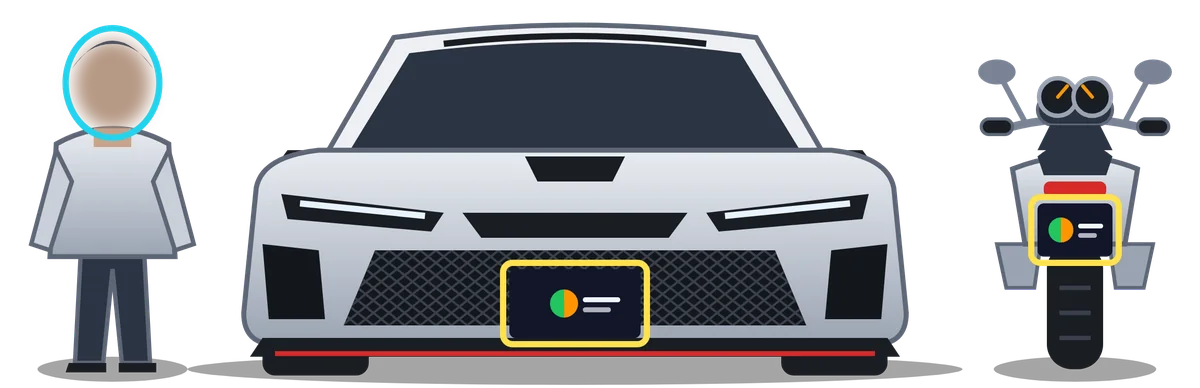
Illustration of a person, a car and a motorcycle, with the face and plates marked by boxes
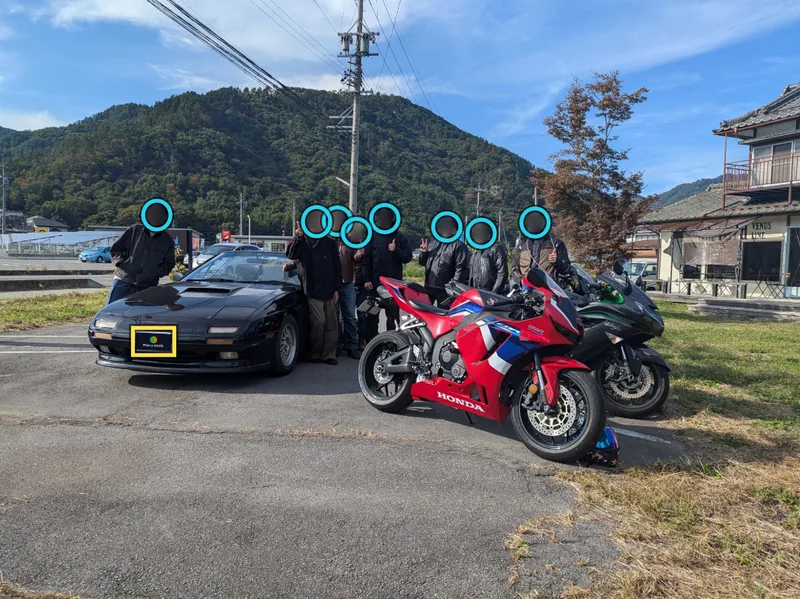
Eight faces and a plate found (after deleting one box that was found by mistake). Faces are filled and the plate is covered with a logo plate

Finds plates and faces automatically

Pick a photo, and Mask!ng finds faces and Japanese license plates and marks them with boxes. Finding and hiding both happen entirely on your phone.

  • Pick photos one at a time and keep editing as many as you like (up to 20 at once with Pro)
  • Plates from other countries may be found too. If one is not found, draw a box around it with your finger
  • Check the boxes found automatically and delete any found by mistake
  • Automatic detection is not perfect. Always check before saving
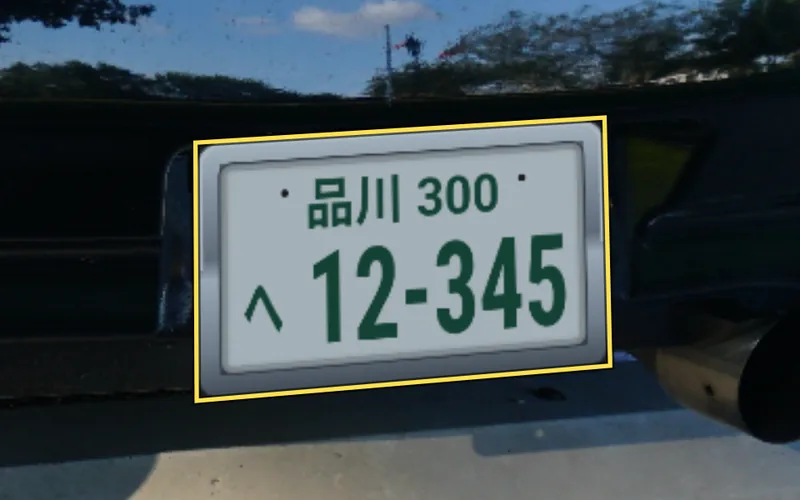
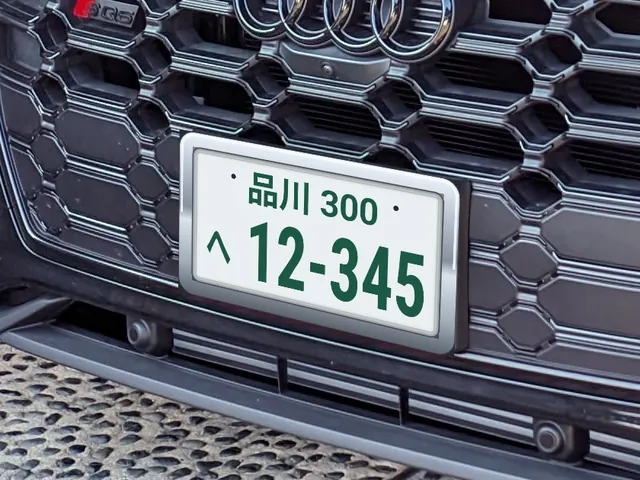
A fictional plate fitted over a car's plate at its angle (zoomed in)

Covers plates naturally, at their angle

Plates are covered in their own shape, following the tilt of the plate. Overlaid plates are blended to match the surrounding light.

  • Fictional plates always use 5 digits, so they never match a real plate
  • With Pro, you can type the fictional plate text yourself (the free version uses the sample "品川 300 へ 12-345")
  • Use them on cars from any country (box the plate yourself if it is not found)
Start here
The buttons at the bottom of the editor. Open the list with Style
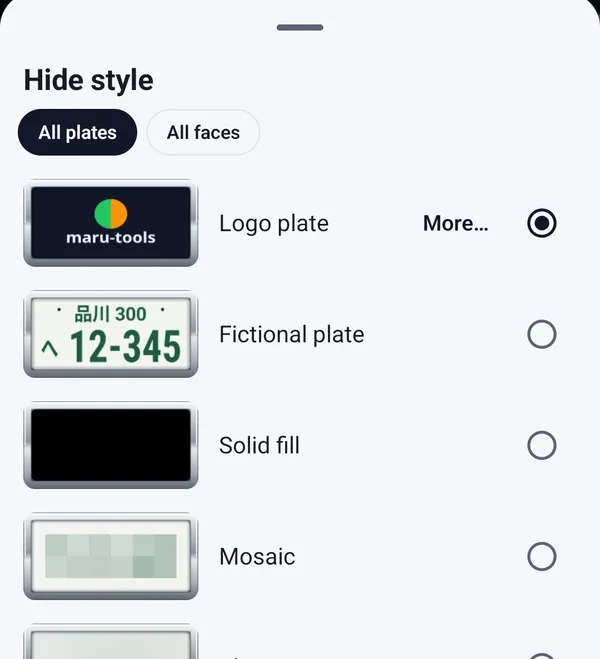
The Style list: logo plate, fictional plate, solid fill, mosaic and more

Choose how to hide

Change the style for each box.

Plates
Logo plate / Fictional plate / Solid fill / Mosaic / Blur
Faces
Solid fill / Outer blur / Sticker / Strong blur / Mosaic
  • Outer blur uses only the colors around the face box, never anything inside the face
  • You can also register your own images as plates and stickers (one of each is free, as many as you like with Pro)

See the results

Compare each hide style on the same photo. These are crops of photos actually hidden with the app.

Plates

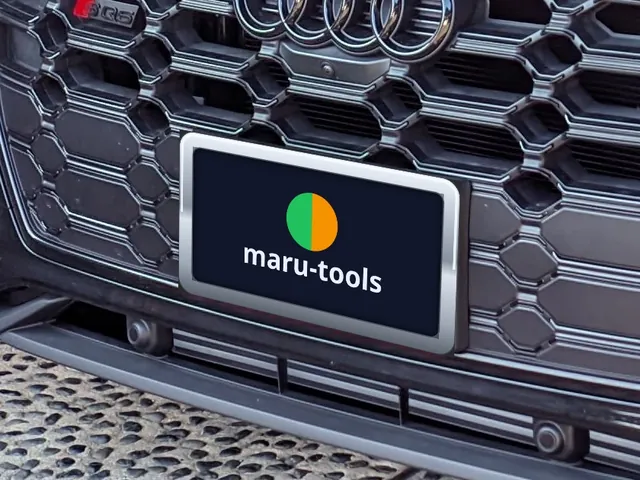
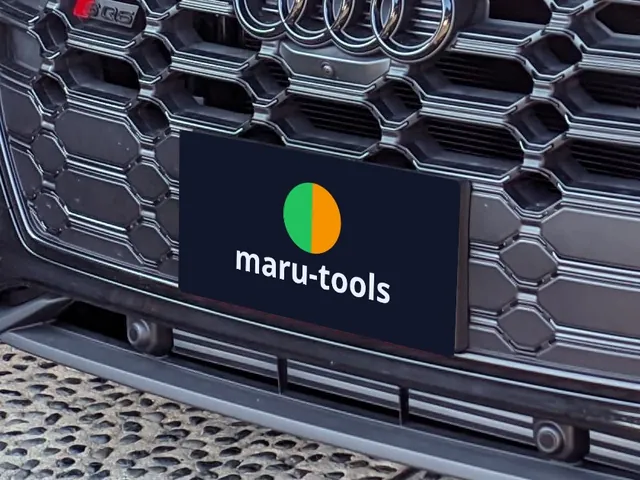
  • A car's license plate hidden with Logo plate
    Logo plate

    Places a logo plate over the license plate, fitted to its angle.

  • A car's license plate hidden with Fictional plate
    Fictional plate

    Places a fictional plate with a 5-digit number over the license plate, fitted to its angle.

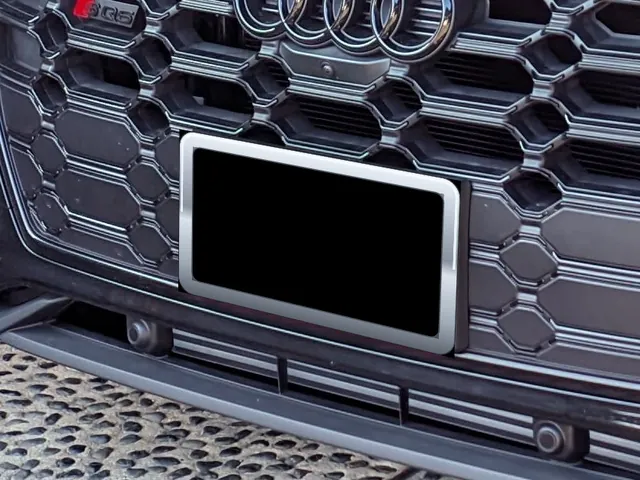
  • A car's license plate hidden with Solid fill
    Solid fill

    Fills the license plate in solid black, in the shape of its four-corner box.

  • A car's license plate hidden with Mosaic
    Mosaic

    Splits the license plate into 8 blocks across and fills each block with its average color.

  • A car's license plate hidden with Blur
    Blur

    Splits the license plate into 4 blocks across, fills them with their average colors and blends the edges.

Faces

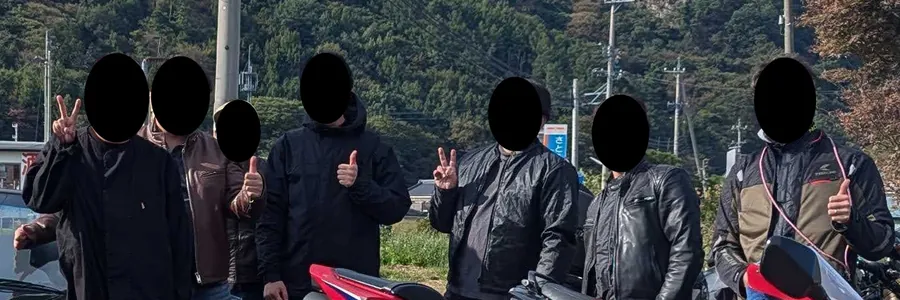
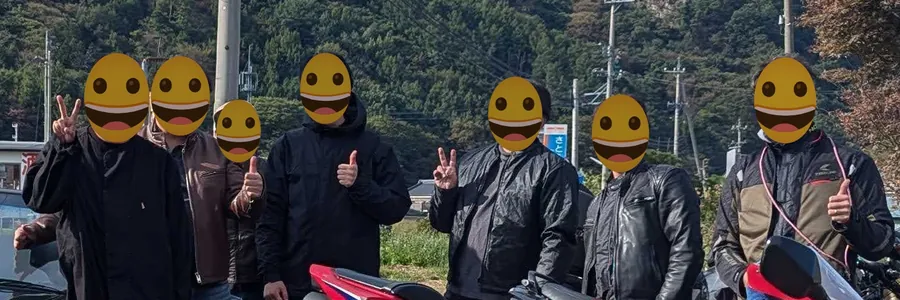
  • A group photo of seven people with faces hidden by Solid fill
    Solid fill

    Fills the face in solid black, in the shape of its oval box.

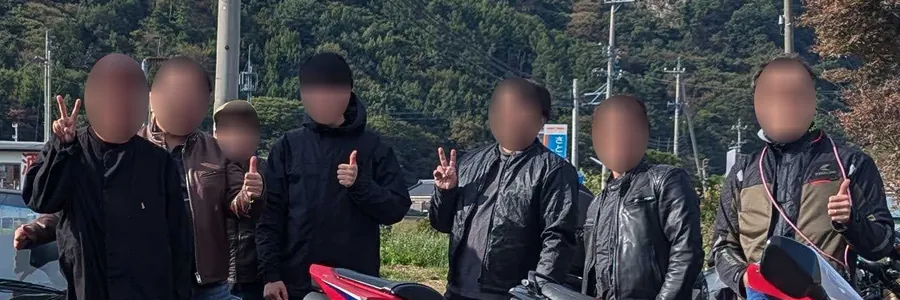
  • A group photo of seven people with faces hidden by Outer blur
    Outer blur

    Fills the face with smooth colors taken only from a thin band around its box.

  • A group photo of seven people with faces hidden by Sticker
    Sticker

    Fills the face with the average color of the spot, then places a face, a dot or your own image on top.

  • A group photo of seven people with faces hidden by Strong blur
    Strong blur

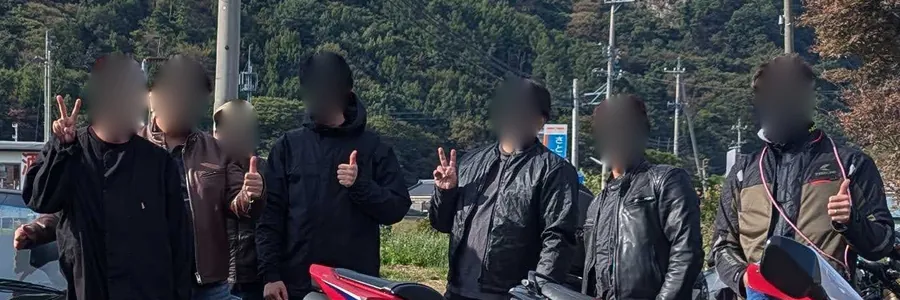
    Splits the face into 4 blocks across, fills them with their average colors and blends the edges.

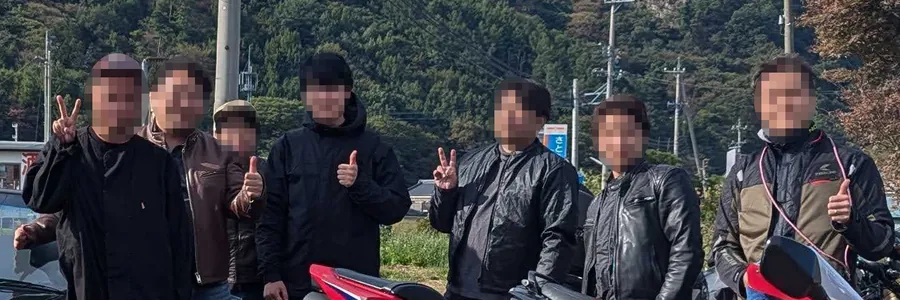
  • A group photo of seven people with faces hidden by Mosaic
    Mosaic

    Splits the face into 8 blocks across and fills each block with its average color.

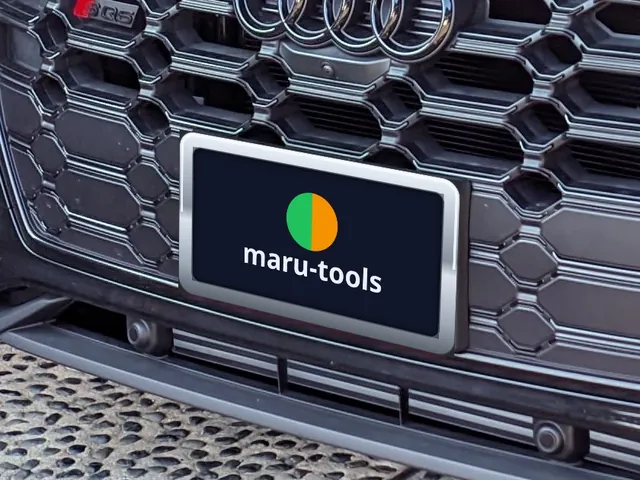
A plate with no plate frame
NonePlaces the plate as it is, without a frame around it.
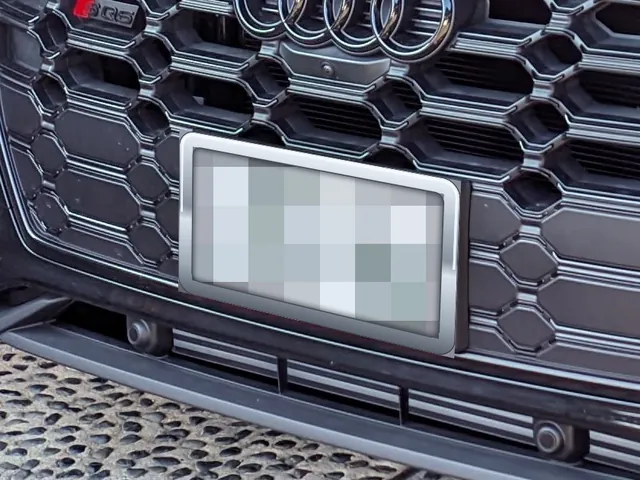
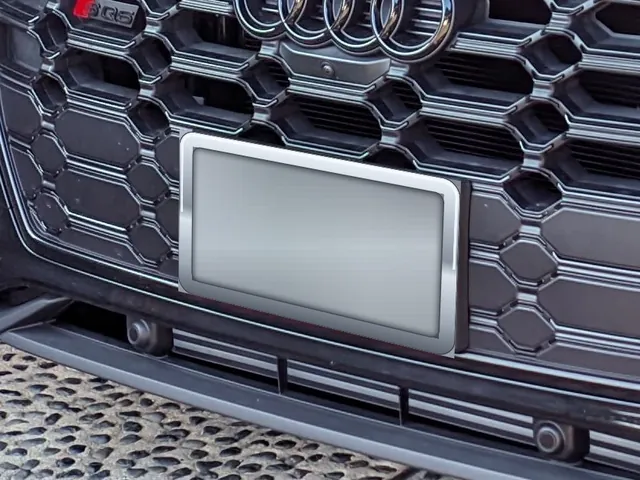
A plate with the Metallic plate frame
MetallicAdds a glossy frame that looks like silver plating around the plate.
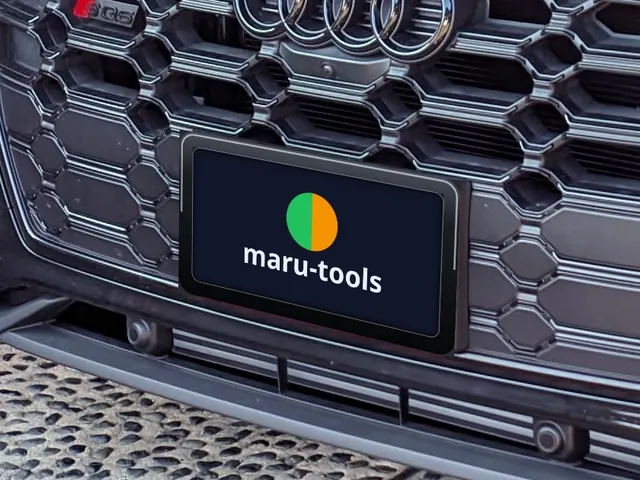
A plate with the Black plate frame
BlackProAdds a glossy black frame with a thin highlight along the top around the plate.
A plate with the Glow plate frame
GlowProAdds a frame with two neon-style lines of light on a dark band around the plate.

Add a plate frame

You can add a plate frame to the plate. Choose from None, Metallic, Black or Glow. None and Metallic are free; Black and Glow come with Pro.

  • Metallic looks like silver plating and Black is glossy black. Glow is a neon-style line of light on a dark band, in 7 colors (Blue, Pink, Yellow, White, Purple, Green, Red)
  • Choose it for all plates at once or for each box (This box). Besides logo and fictional plates, you can add a frame to solid fill, mosaic and blur from More…
  • Overlaid plates and stickers can be blended into the photo with Brightness
  • For each box, you can also add just a frame without hiding the plate
Start here
The buttons at the bottom of the editor. Box anything missed with Add
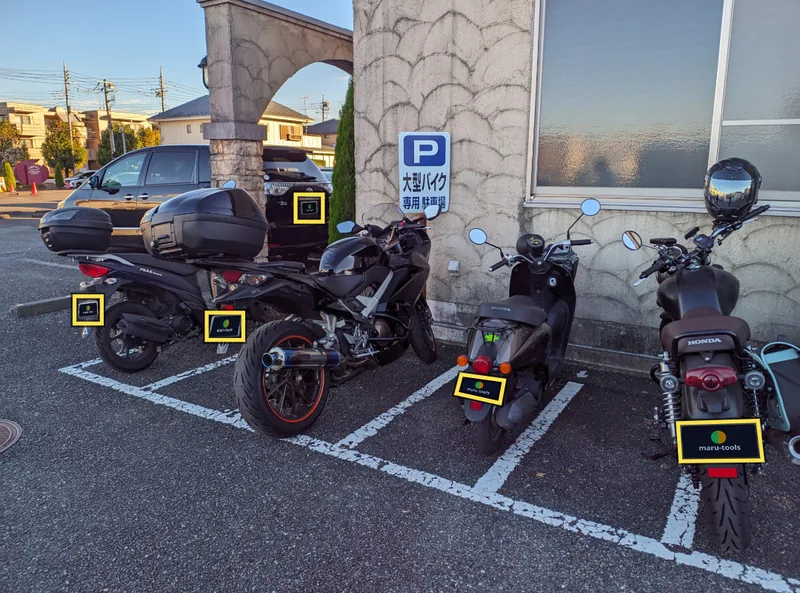
Five plates on parked bikes and a car behind them, hidden with logo plates

Missed one? Add it with a finger

Tap Add, choose Plate, Face, Other or Whole area, and drag diagonally across the photo. You can fix the size and position of a box afterwards.

  • Delete boxes you do not need
  • Hold Compare to see the original photo
  • Undo / Redo, pinch to zoom
Size and undo
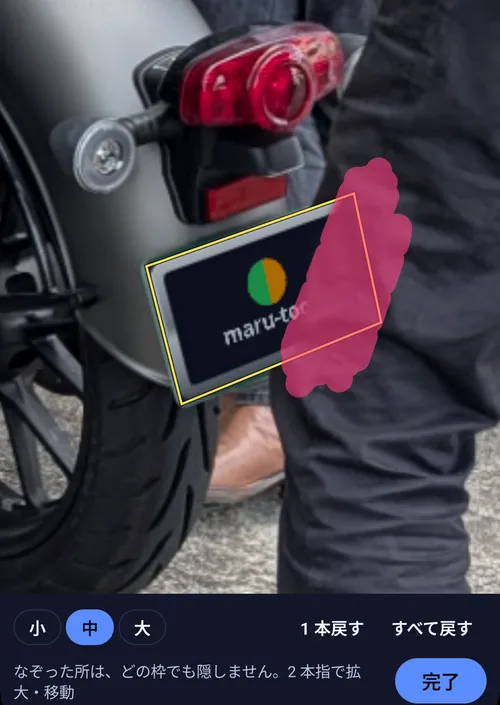
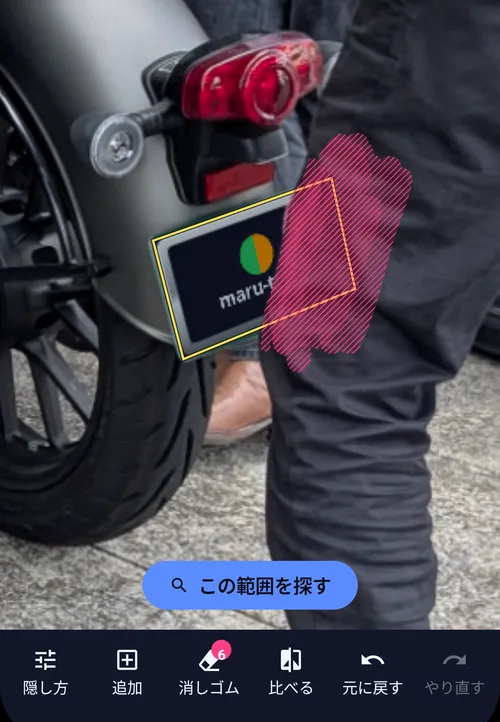
Tracing with the eraser. Pick the size and undo strokes in the bar below
Start here
After tracing: the kept area is shown with hatching. The eraser opens from the Eraser button below

The eraser screens are from the Japanese version.

Bring back what you want to keep with the eraser

Traced areas stay unhidden in every box. Bring back only the parts you want to keep, such as a foot in front of the plate.

  • Small, Medium and Large sizes
  • Undo stroke takes back your last stroke; Restore all clears them all
  • Two fingers to zoom and move, then tap Done

Hide documents and screens with Whole area

Match four corners to fill a document or a phone screen completely.

  • Documents and screens are not found automatically. Use Whole area under Add and box them yourself
Share from here
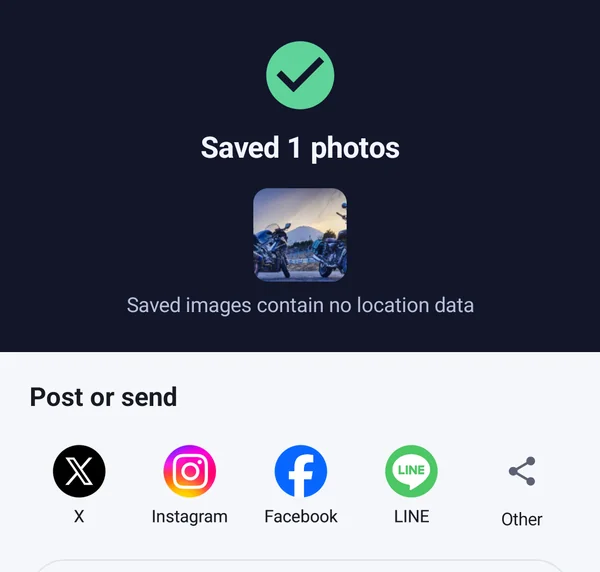
The screen after saving: share straight to X, Instagram, Facebook, LINE and more. Saved images contain no location data

The apps in the share row depend on the apps installed on your phone.

Saved without location, ready to share

Your edited photo is saved as a new image. Your original stays untouched.

  • Saved images contain no location data
  • Share saved images straight to X, Instagram, Facebook, LINE and other apps

Private by design

Everything happens on your phone

Finding and hiding both happen entirely on this phone. Your photos never leave it unless you choose to share them.

No account needed

No sign-up or sign-in.

Your original stays untouched

Edited photos are saved as new images; the original is never changed. Saved images contain no location data.

What is sent to Google

To show ads, the free version sends information such as your advertising ID to Google. On Android, the face detection component (Google ML Kit) also sends information for diagnostics and usage analysis. Your photos are not sent. See the privacy policy for details.

Free and Pro

All basic features are free. Pro saves time and lets you make it your own. The one-time Pro purchase ($2.99) removes ads and lets you pick up to 20 photos at once. It also unlocks Black and Glow frames, your own fictional plate text, and unlimited custom plates and stickers.

FreePro
Automatic face and plate detectionYesYes
Hide styles (every plate and face style)AllAll
Add, Eraser and Whole areaYesYes
Undo / RedoYesYes
Save without location, shareYesYes
Photos at a time1 (keep editing as many as you like)Up to 20
Plate framesNone, MetallicBlack and Glow too
Fictional plate textSample onlyType your own
Your own plate images1As many as you like
Your own face stickers1As many as you like
AdsBanner at the bottom of the home and saved screensNone

Pro is a one-time purchase with no subscription. The price shown in the store is the correct price and may vary by country.

FAQ

Can it hide plates from other countries?

They may be found automatically, but detection is tuned for Japanese plates, so some will not be found. If one is not found, draw a box around it with your finger. You can also cover it with a logo plate or a fictional plate.

Can it hide documents and phone screens?

Yes, but they are not found automatically. Use Whole area under Add and match the four corners.

Will it miss anything?

Automatic detection is not perfect. Always check before saving, and add anything that was missed by drawing a box around it.

What happens to my original photo?

It stays untouched. Edited photos are saved as new images with no location data.

Are my photos sent anywhere?

No. Finding and hiding both happen entirely on your phone.

Are there ads?

The free version shows a banner ad at the bottom of the home screen and the screen shown after saving. No ads appear while you edit photos. Pro shows no ads.

What if I am not sure how to use it?

There is a short introduction for first-time users, and tips appear on each screen.

Which languages does it support?

Japanese and English.

Fact sheet

Genre
Photo editing (hide faces and plates)
Photos at a time
1 with the free version, up to 20 with Pro
Platforms
Android 11 or later, iPhone (iOS 17 or later)
Price
Free Pro: $2.99
Languages
Japanese, English
Developer
maru-games (maru-tools)
Download on the App StoreGet it on Google Play

Read the privacy policy