MT-02 Graphing Calculator browser version update, November 8
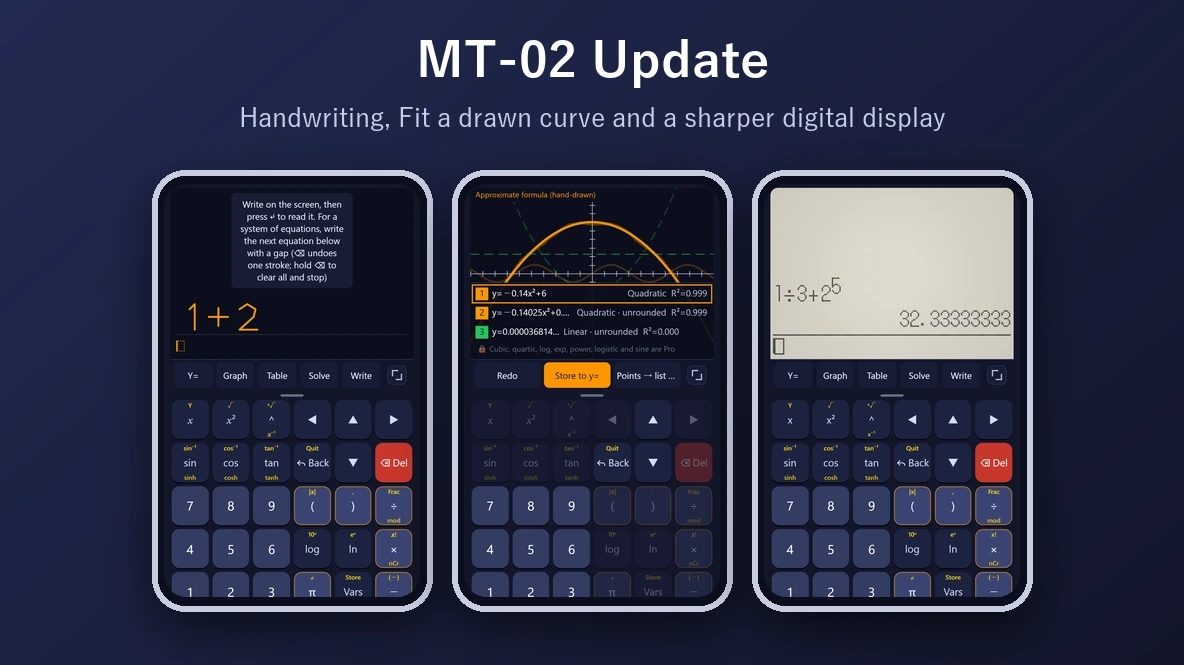
On November 8, 2026, we updated the browser version of MT-02 Graphing Calculator. The main changes are handwriting input, which reads an equation you write with your finger, and a rebuilt Digital display that looks like a calculator LCD. This post also covers the changes made on and after November 6.
Write equations by hand
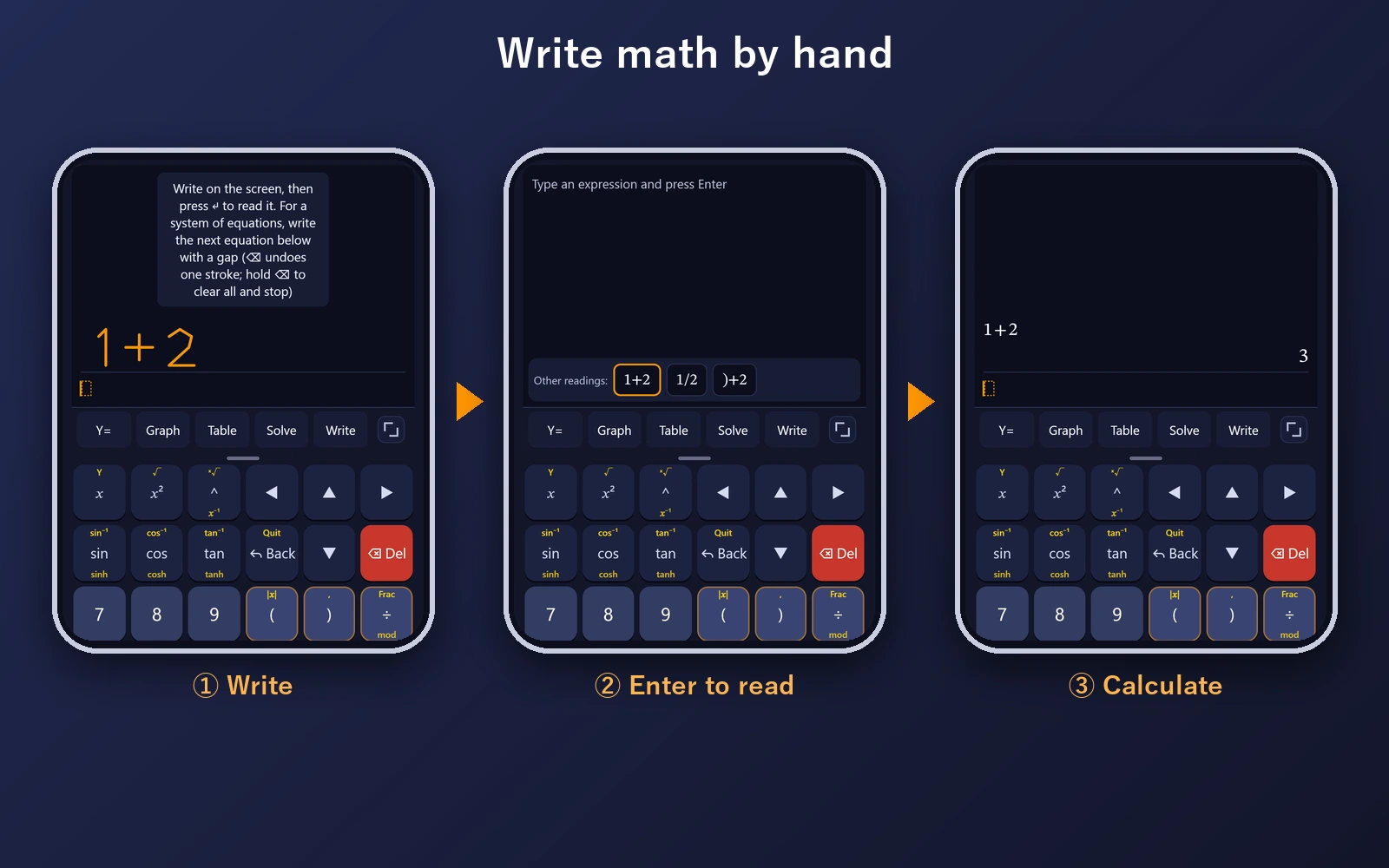 Write with your finger, press Enter to read it, then press Enter again to calculate
- Write right on the display: On the home and equation screens, start writing an equation on the display with your finger, and the calculator switches to writing mode. When you finish, press ↵ Enter to read it into the input line. Check the equation, then press ↵ Enter again to calculate
- Pick another reading: If there is more than one way to read what you wrote, the options appear below the display. Tap one to swap it in
- Roots, powers and functions: It reads digits, + − × ÷ /, =, ( ), √, π, variables (x, y, t and more), and functions such as sin, cos and log. A small character written at the upper right is read as a power (such as x²)
- Systems of equations: Write the second equation below the first, leaving a small gap. Press ↵ Enter to open the equation screen, then just press Solve
- Your strokes stay on your device: Reading happens on your device, and your strokes are not saved
Digits are read correctly about 9 times out of 10, and slightly less often when symbols and function names are included. The longer the equation, the more likely a misread, so check the equation before you calculate. For details, see Handwriting input in the manual.
Fit an equation to a curve you draw
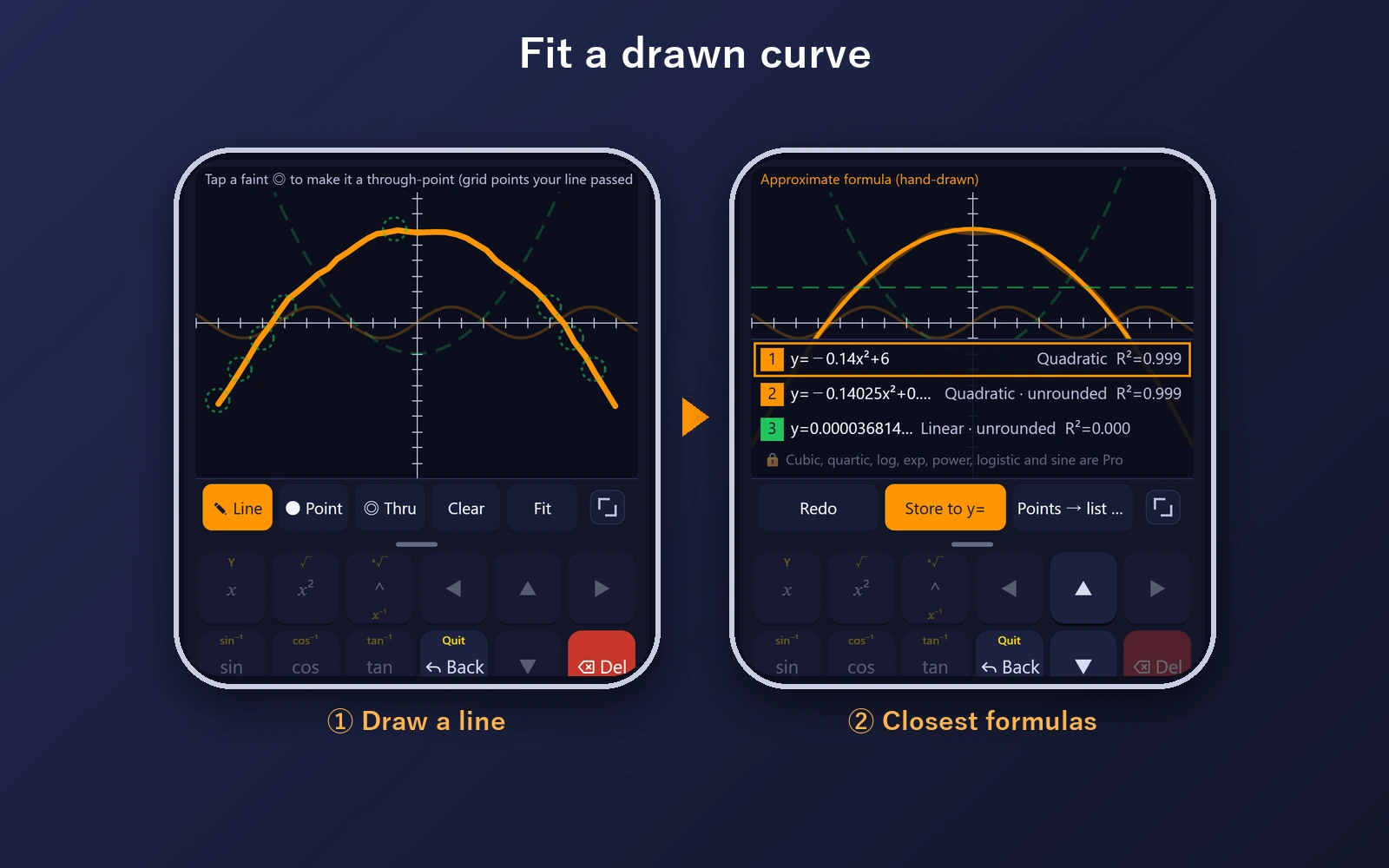 Draw a line and press Fit to see close equations
The opposite of handwriting input is also there: draw the shape of a graph with your finger, and the calculator suggests equations close to it. It is item 8, “Fit a drawn curve”, in the graph’s Calc menu.
- Draw a line or tap points, then press Fit to see close equations drawn over the graph
- You can choose points the equation must pass through, and small hand tremors are ignored
- Use “Store to y=” to turn the equation you pick into a graph equation
- The equations are estimates because the line is hand-drawn. The free version offers linear and quadratic equations, and Pro adds cubic, exponential, sine and more
Write an equation to enter it, or draw a curve to get one. Your finger is all you need to move between equations and graphs.
The Digital display, rebuilt
The display that looks like an old calculator LCD (previously called the dot display) has been rebuilt and renamed Digital.
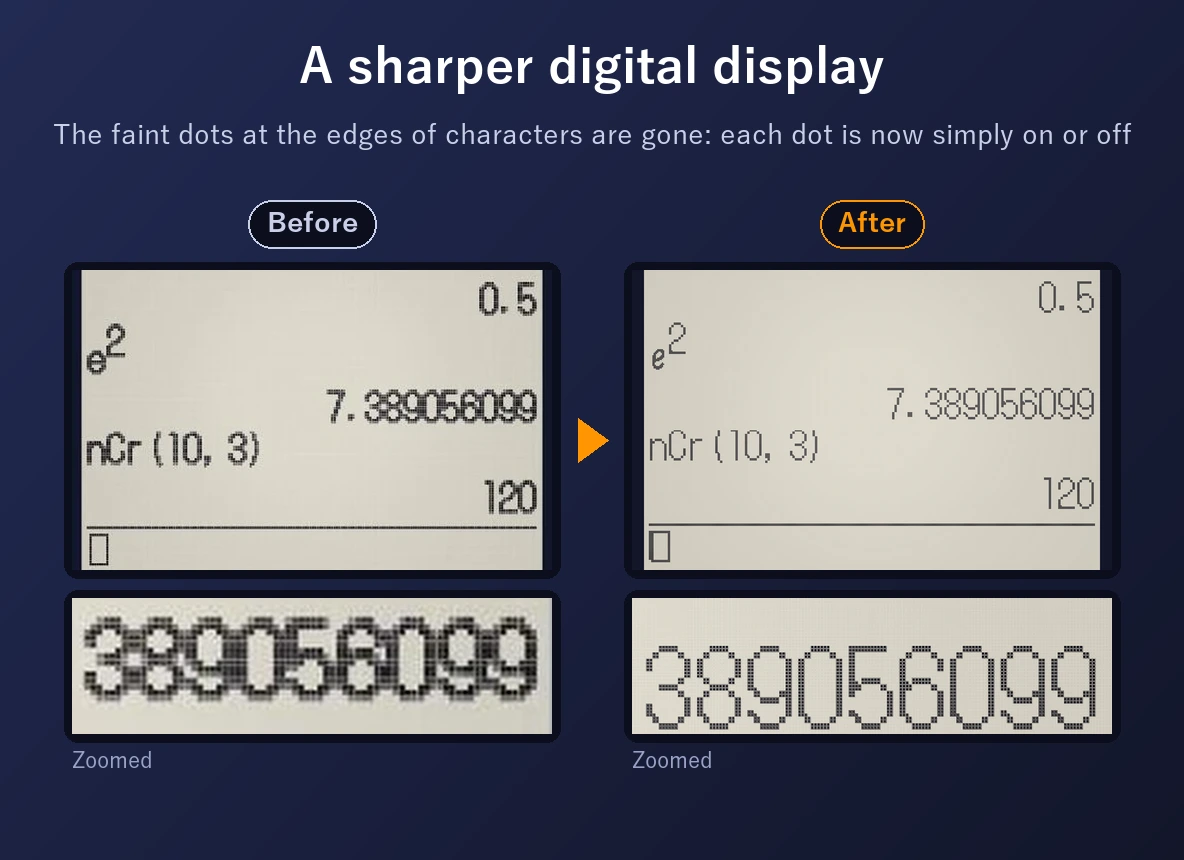 Left: before. Right: after. The bottom row shows the digits zoomed in
- Finer dots: On phones, each LCD pixel is now drawn with 2×2 smaller dots. The faint half-lit dots around the edges of characters are gone, so a dot is now either on or off
- 5 colors: Choose from 3 mono LCDs (beige, white and blue backlit) and 2 color styles (white and black). In color, graph lines, the cursor and the selected cell are colored
- Long descriptions scroll: When the selected menu line is too long to fit, the function name stays in place and only the description scrolls sideways
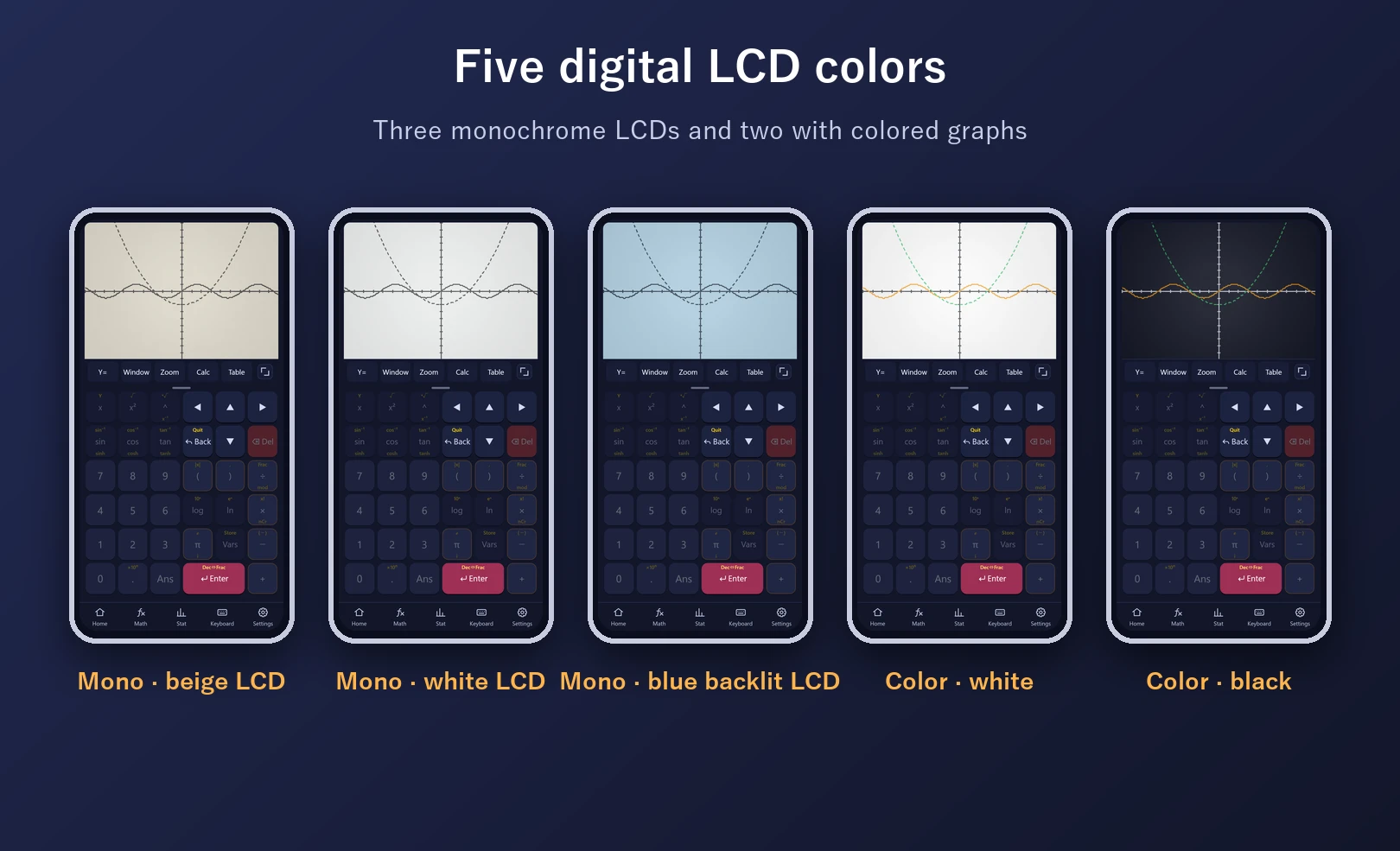 The Digital LCD comes in 5 colors. In color, graph lines are colored
Settings and look
- Reorganized settings: The look settings are now split into Screen and Keys. You can choose the display style (High resolution or Digital), the Digital colors, and the key color and shape separately
- Key color names: The 5 colors are now called Navy, White, Black, Gray and Silver
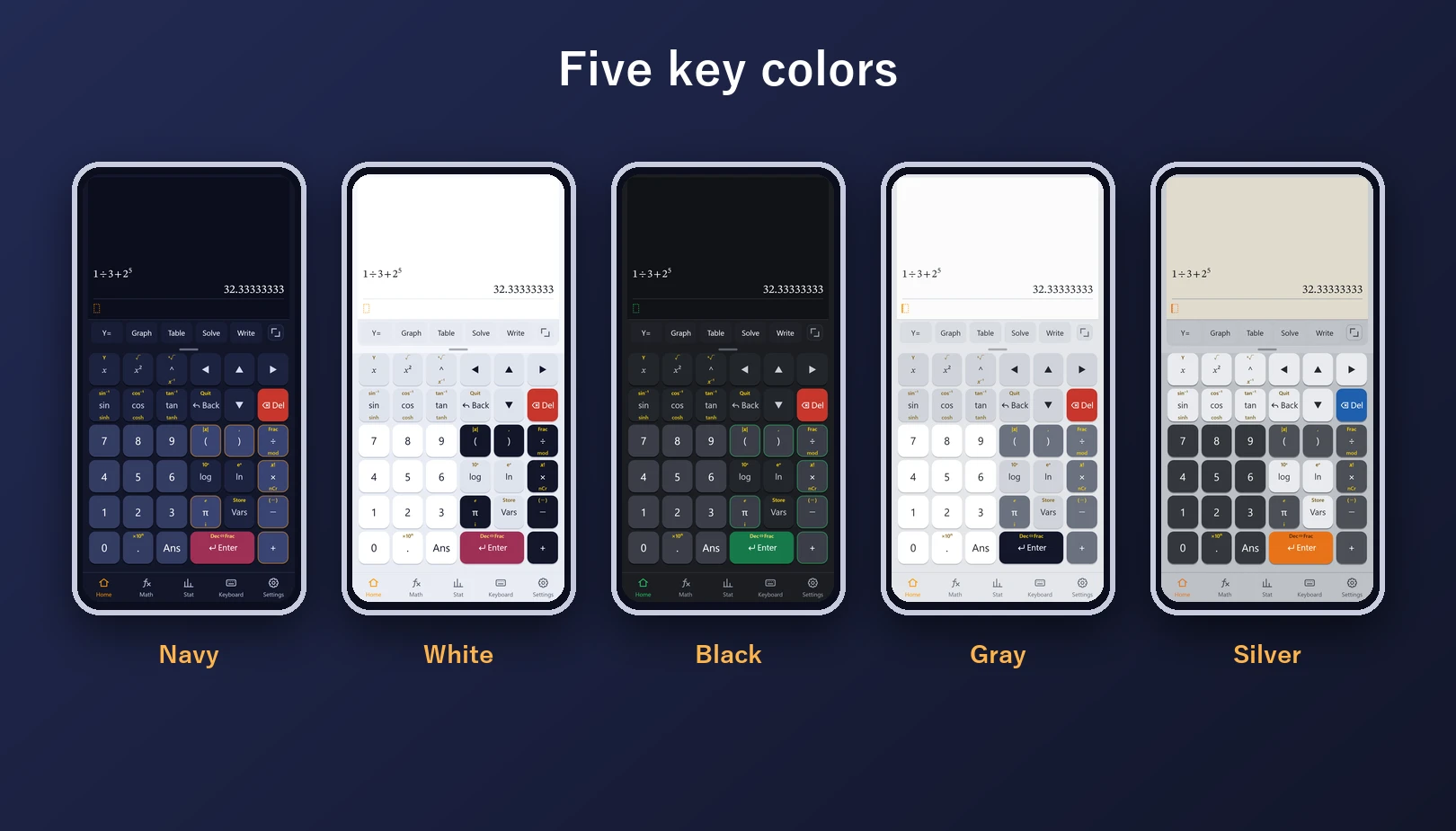 5 key colors. In the high-resolution display, the screen color changes to match the keys
- A color for the ⌫ Del key: The ⌫ Del key now has its own color (red, or blue in Silver) so it is easy to find
- The shape of x: In the high-resolution display, the variable x is shown in italics (𝑥), as in textbooks, so it is easy to tell apart from the × sign
- About this app: A new screen shows the version number, links to the product page, manual and privacy policy, and the licenses of the components we use
Calculations and controls
- Equation answers show the equations: The answer screen now lists the equations you entered, so you can check for typos. An exact answer is shown with “=”, and a rounded one with “≈”
- Lowercase y for the second unknown: On the equation screen, flick the x key up to enter y
- Swipe between menu tabs: You can now swipe left or right to move between the tabs at the top of a menu
Hidden mini games
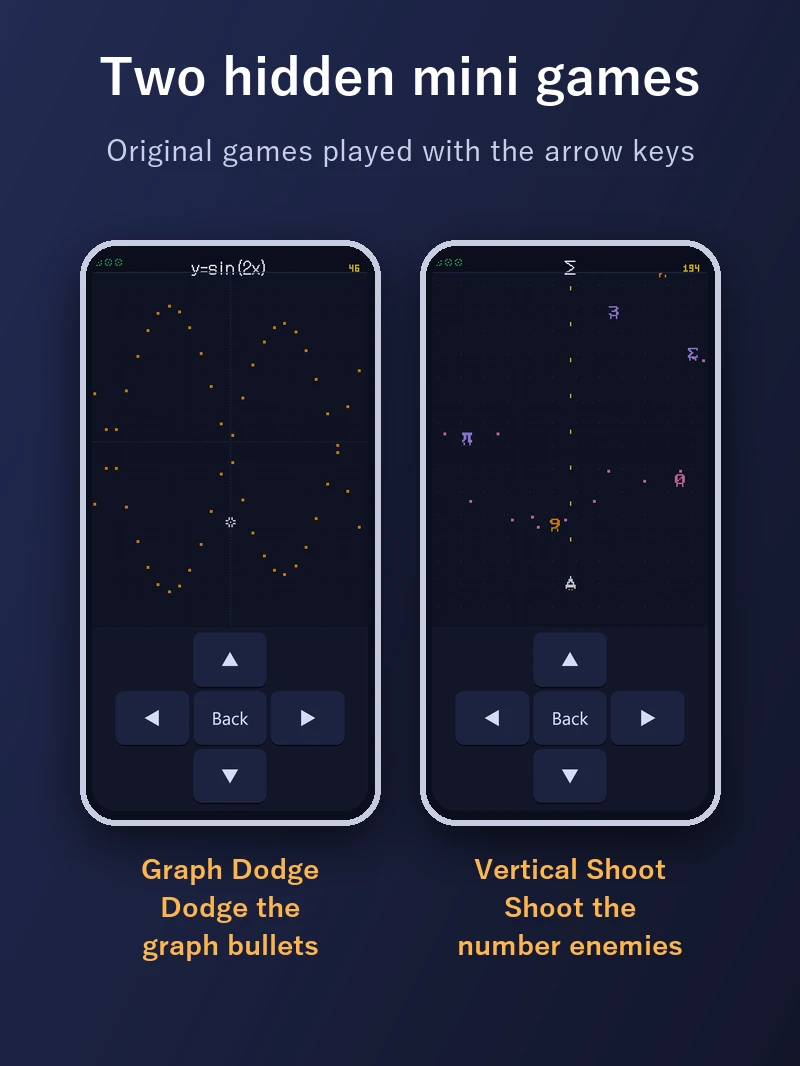
In Graph Dodge, one of the mini games hidden inside the calculator, we changed the bullets for the second equation (the y=x² lob). Bullets lobbed up from below and bullets thrown down from above (y=−x²) now alternate. How to get in is a secret.
About the app (Android)
The Android version is still in testing and is not yet publicly available. We plan to add handwriting input to the Android version as well.
Update (November 26, 2026): The iPhone and Android versions are now available on the App Store and Google Play. Handwriting input is in the Android version too. See the release news for details.
Try it and read more
- Browser version: mt-02.maru-games.com
- About the app: MT-02 Graphing Calculator page
- Manual: MT-02 manual
- Privacy policy: MT-02 Graphing Calculator section
This is an in-development version, so features and screens may change. If you notice anything, please let us know through our Contact page.